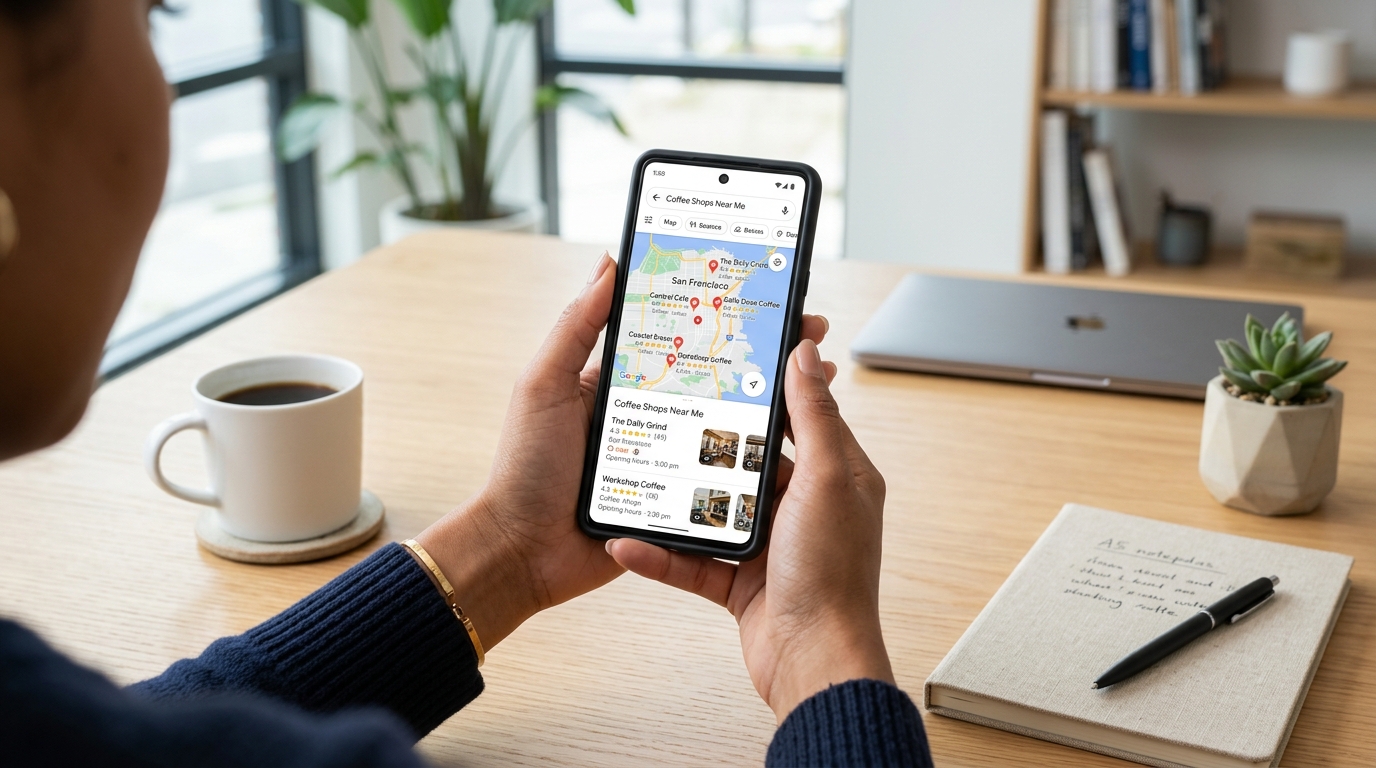
Your Google Business Profile (GBP) — formerly Google My Business — is the most important free marketing tool available to Cambridge businesses. It's what controls how your business appears in Google Maps and in the local results box ("the Local Pack") that appears at the top of Google search results.
Done right, a well-optimised GBP can drive more enquiries than your actual website. Done poorly — or not done at all — you're handing those customers directly to your competitors. This guide walks through every step of setting up and optimising your GBP specifically for the Cambridge and Waipā market.
Why Your Google Business Profile Matters So Much in Cambridge
When a Cambridge local searches "electrician Cambridge NZ" or "dentist near me," Google returns two types of results: the Local Pack (a map with three listings) and the regular organic results below it. Appearing in the Local Pack delivers dramatically higher click-through rates than a standard organic listing — and the Local Pack is controlled almost entirely by your GBP, not your website's SEO alone.
For Cambridge SEO, optimising your GBP is step one — nothing else matters until this is right.
Step-by-Step: Setting Up Your Cambridge GBP
Claim or Create Your Listing
Go to business.google.com and search for your business. If it already exists (Google often creates stub listings automatically), claim it. If not, create a new one. You'll need to verify ownership by postcard, phone, or video — Google will send a verification code to your Cambridge business address.
Choose the Right Primary Category
This is the most important field in your entire GBP. Your primary category tells Google what kind of business you are. Be as specific as possible — "Physiotherapist" outranks "Healthcare Provider" for physio searches. Browse the full list of available categories before choosing. You can also add up to nine secondary categories for additional services.
Write a Compelling Business Description
You have 750 characters for your description. Use it to naturally mention Cambridge, your suburb (Leamington, Hautapu, etc.), your key services, and what makes you different. Don't keyword-stuff — write for the person reading it first, and Google second. Include a call to action at the end.
Set Your Service Area Correctly
For service-area businesses (trades, cleaning, delivery, etc.), add your service areas including Cambridge, Leamington, Hautapu, Tamahere, Matangi, Karapiro, and Te Awamutu if relevant. This expands your Maps visibility across the Waipā district without requiring a physical address in each suburb.
Add All Your Products and Services
The Products and Services sections are massively under-utilised. Add every service you offer with a title, description, and price (if applicable). These appear directly on your GBP listing and give Google more signals about what you do — which means you show up for more search terms.
Upload High-Quality Photos
Listings with photos receive 42% more requests for directions and 35% more click-throughs than listings without photos. Upload your storefront exterior, interior, team members, and work examples. For trades, before-and-after project photos work brilliantly. Aim for at least 15 photos to start.
The Ongoing Work: What Actually Drives Rankings
Setting up your GBP is only the beginning. The businesses that dominate Google Maps in Cambridge are the ones that actively maintain their listing. Here's what the ongoing management looks like:
Generate and Respond to Reviews Consistently
Reviews are the most important ongoing ranking factor for local Google search. The quantity, recency, and sentiment of your reviews all influence where you appear in the Local Pack. Create a simple system for asking happy customers to leave a Google review — a follow-up text or email with a direct link to your review page works well.
Post GBP Updates Weekly
Google Posts are short updates that appear on your GBP listing. They can include offers, events, product highlights, or general news about your business. Posting weekly keeps your listing active and gives Google fresh signals that your business is operating. Posts expire after seven days for standard updates, so consistency matters.
Answer Questions in the Q&A Section
Anyone can ask a question on your GBP listing — and anyone can answer it. Proactively add your own questions and answers covering your most common customer enquiries: pricing, service areas, parking, booking process. This content can also appear directly in search results as a rich snippet.
Common GBP Mistakes Cambridge Businesses Make
- Inconsistent NAP data. Your business name, address, and phone number must match exactly across your GBP, website, and all directory listings. Even small differences (St vs Street, +64 vs 0) can hurt rankings.
- Choosing too broad a primary category. "Contractor" is far less effective than "Building Contractor" or "Roofing Contractor."
- Never posting updates. A stagnant listing signals to Google that your business may not be active.
- Ignoring negative reviews. A thoughtful, professional response to a negative review actually builds trust with potential customers — and shows Google your listing is actively managed.
- Not adding products and services. Leaving this section blank wastes one of the best opportunities to expand your search visibility.
Want Your Cambridge Business in the Google Maps Top 3?
Our Cambridge SEO team handles complete GBP setup, optimisation, and ongoing management as part of our local search package. Based right here in Cambridge.
View Cambridge SEO Service Get a Free AuditConnecting Your GBP to Your Wider Local SEO Strategy
Your GBP doesn't operate in isolation. Google also looks at signals from your website when deciding how to rank your GBP listing. Make sure:
- Your website homepage mentions Cambridge and your key service areas explicitly
- Your website footer contains your NAP data in the same format as your GBP
- Your website has dedicated landing pages for each key service in each area (e.g. a "Plumber Cambridge" page and a "Plumber Leamington" page)
- Your website loads quickly and works well on mobile
For a deeper look at building that website-side local authority, read our guide: How to Rank #1 on Google in Cambridge NZ. Or, if you'd prefer a specialist to handle all of this, our Cambridge SEO service covers GBP management and full local search optimisation for $500 per month with no locked-in contracts.
See also: Our Full SEO Services | Cambridge Marketing Hub | Google Ads Cambridge